
Redis Insight

What is Redis Insight?
Redis Insight is the official GUI for Redis that lets you do both GUI- and CLI-based interactions in a fully-featured desktop GUI client. It provides intuitive tools for visualizing and optimizing data in Redis, making it easier to work with Redis databases through visual representations of your data structures, query performance analysis, and real-time monitoring.
How to connect to redis deployed through Coolify?
1. Connect To Predefined Network
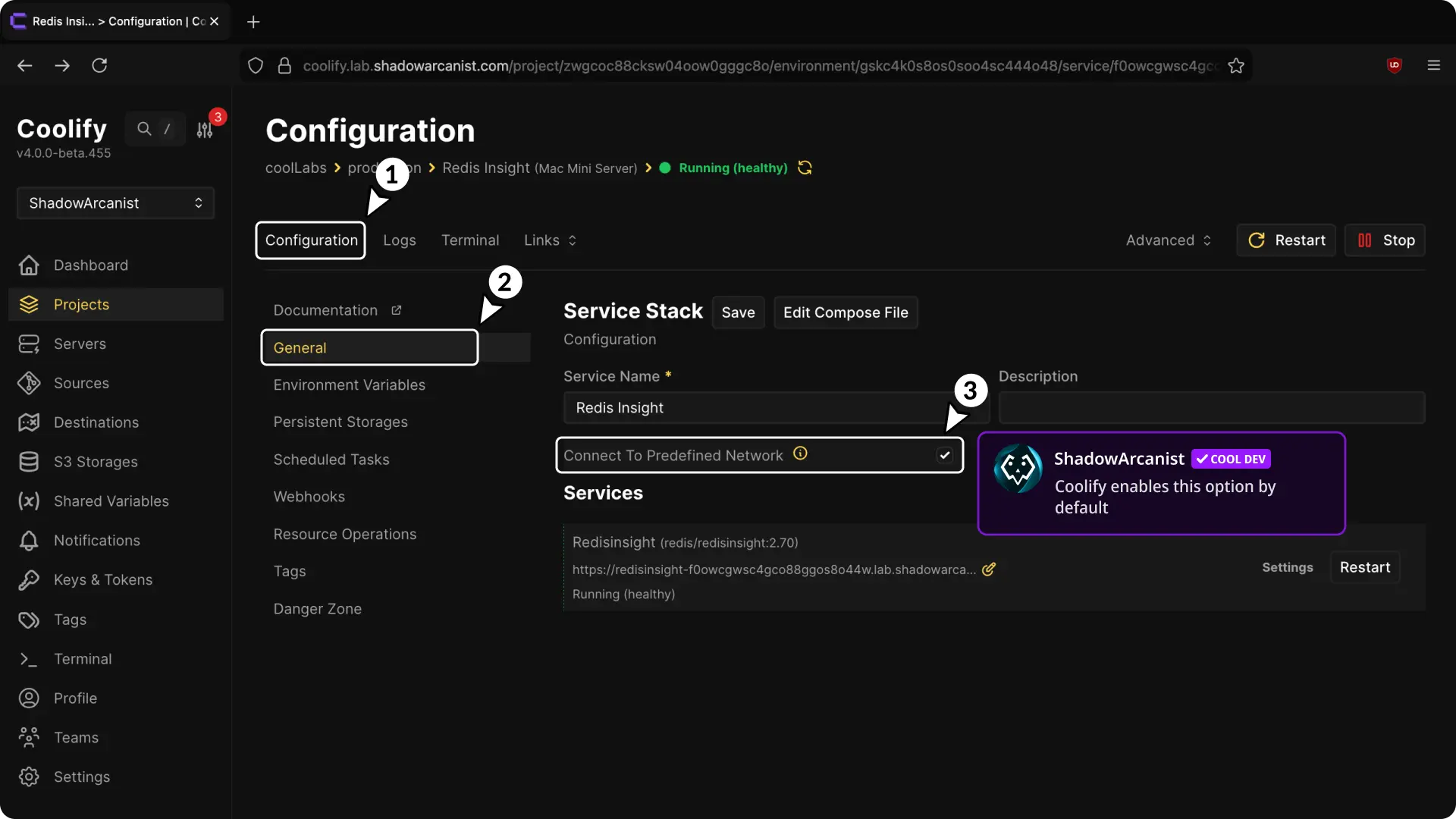
- Go to the "General Configuration" page of Redis insight service
- Enable the option "Connect To Predefined Network"
Tip
From Coolify v4.0.0-beta.455 onward, this option is on by default.
If you deployed Redis Insight earlier, manually enable "Connect To Predefined Network."
2. Get Redis URL
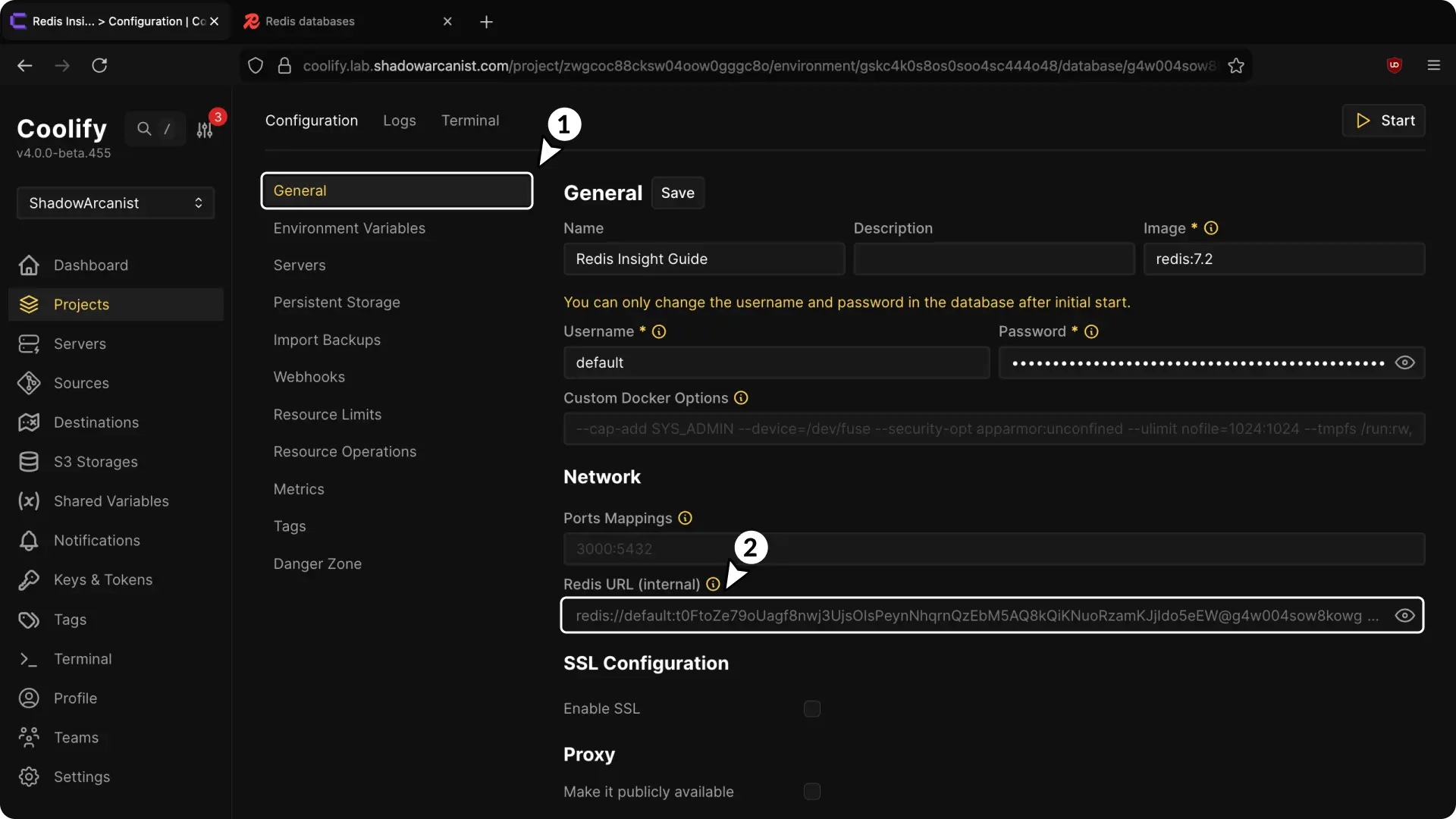
- Go to the "General Configuration" page of Redis database you deployed through Coolify.
- Copy the "Redis URL (Internal)" and use it as database URL on Redis Insight dashboard