
Switch GitHub Apps
Switch the GitHub App used by an application when a repository moves to another account or organization, or when you want a different access policy.
The replacement GitHub App must have access to the repository before Coolify can clone from it.
1. Move the repository when needed
Transfer the repository on GitHub when it is moving to another account or organization.
Skip this step when the repository stays in the same location and only its GitHub App access changes.
2. Add the replacement GitHub App
Follow Set up a GitHub App and install it for the required repository.
Keep the existing GitHub App installed until the application has deployed successfully through the replacement.
3. Confirm repository access
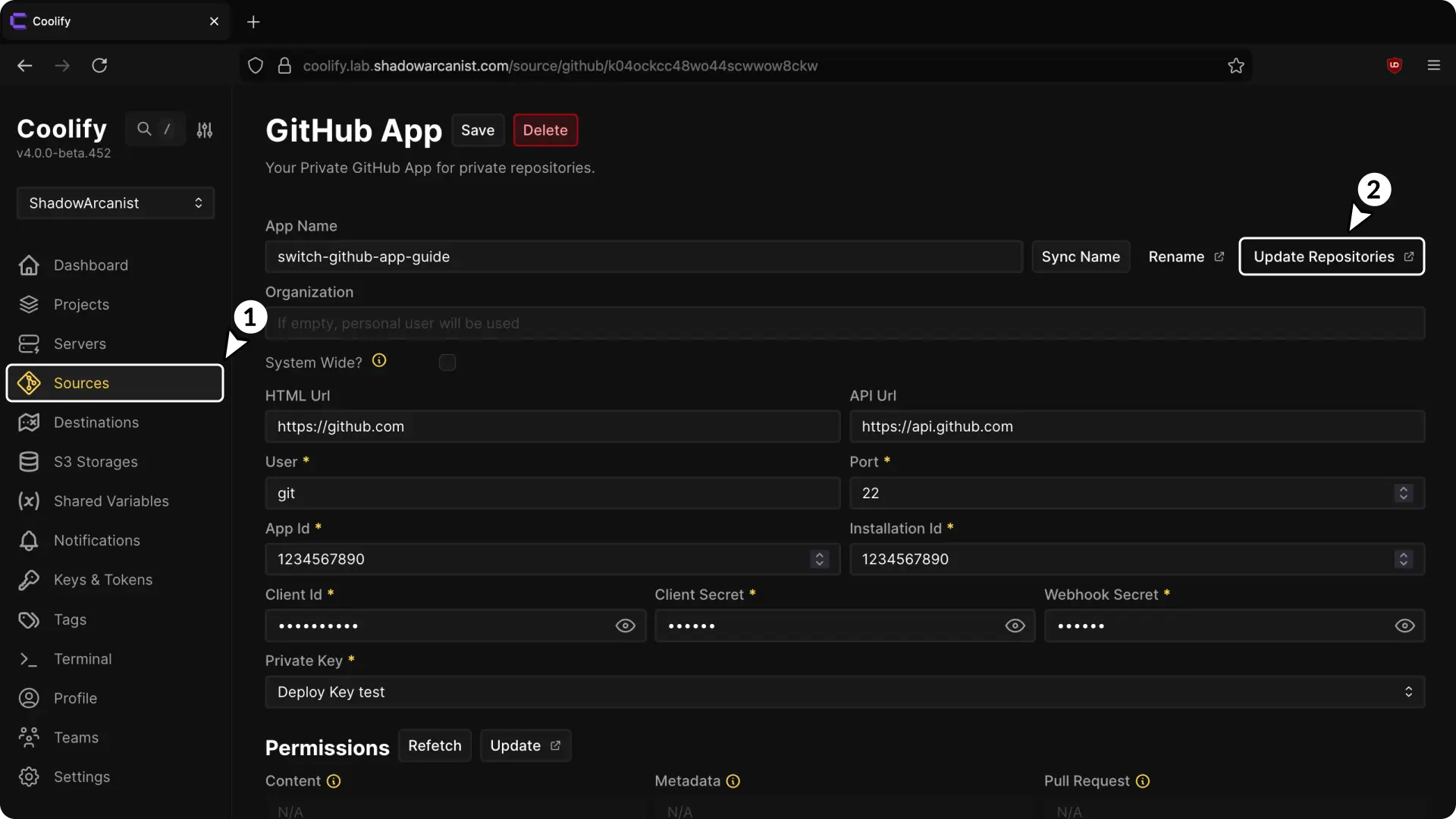
- Open Sources and select the replacement GitHub App.
- Open General and select Repositories.
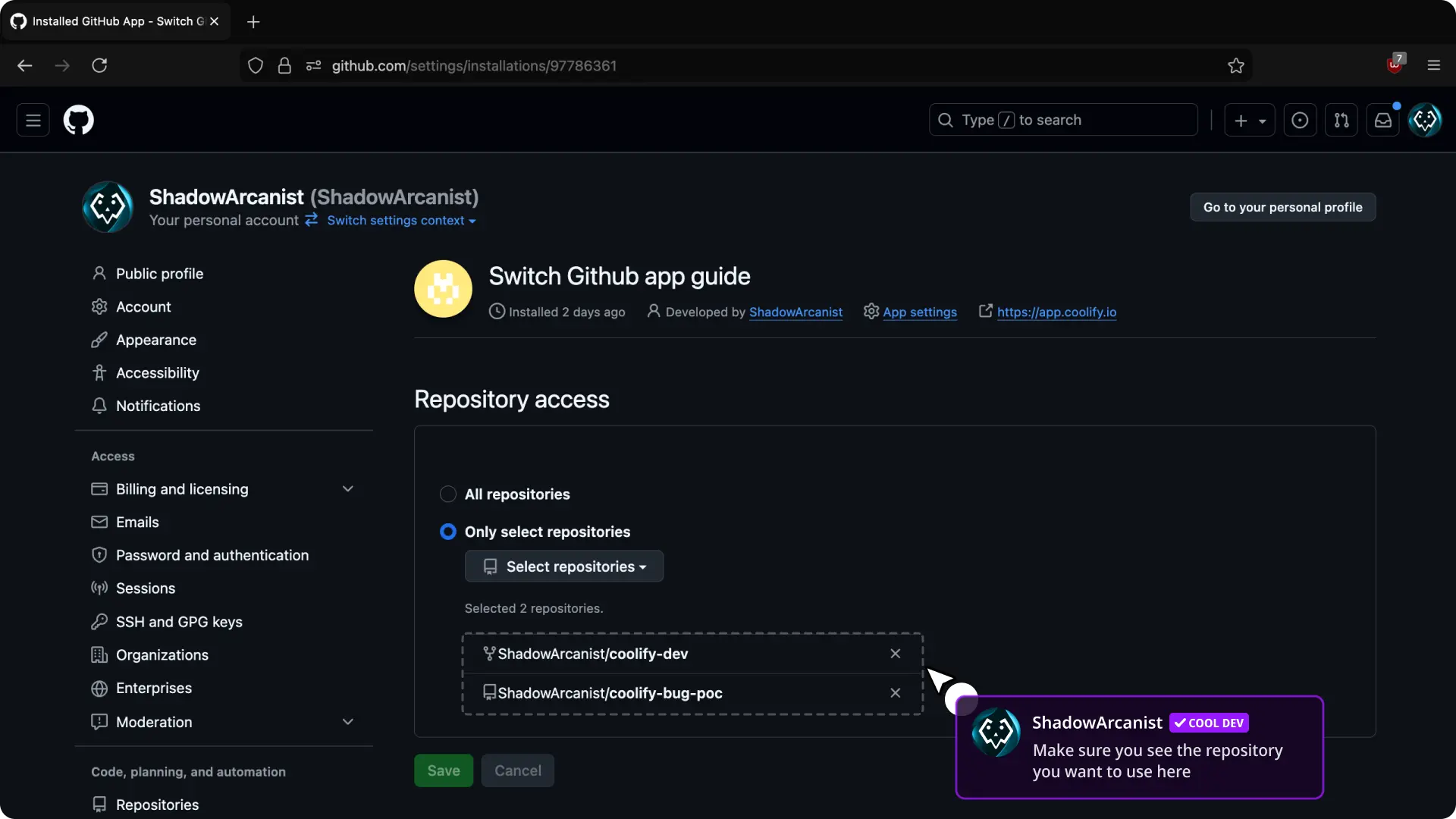
- Under Repository access on GitHub, confirm that the application repository is selected.
- Return to Coolify and refresh the repository list.
4. Change the application source
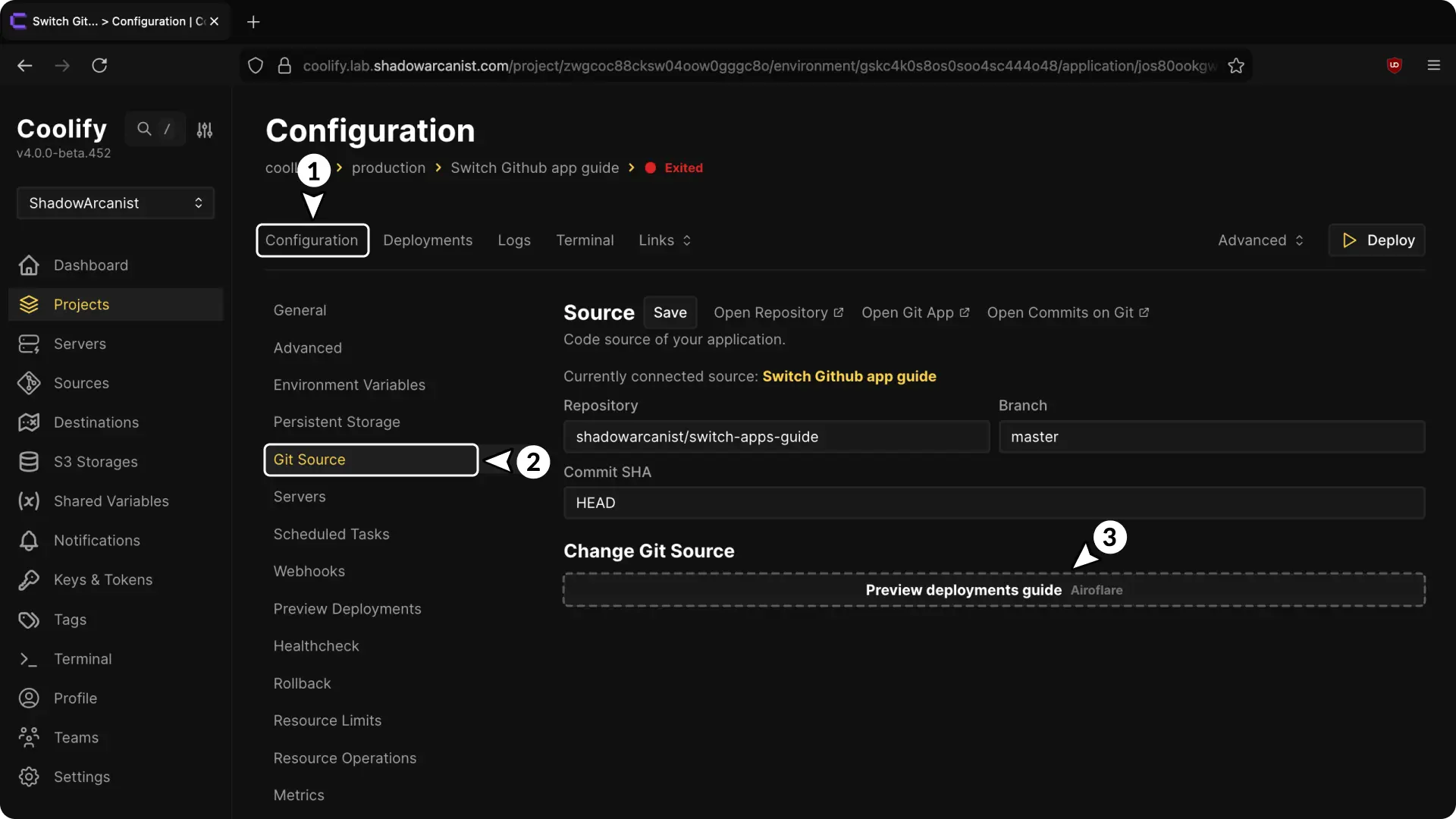
- Open the application.
- Select Git Source.
- Under Git source, select the replacement GitHub App.
- Confirm the change.
5. Update the repository name when needed
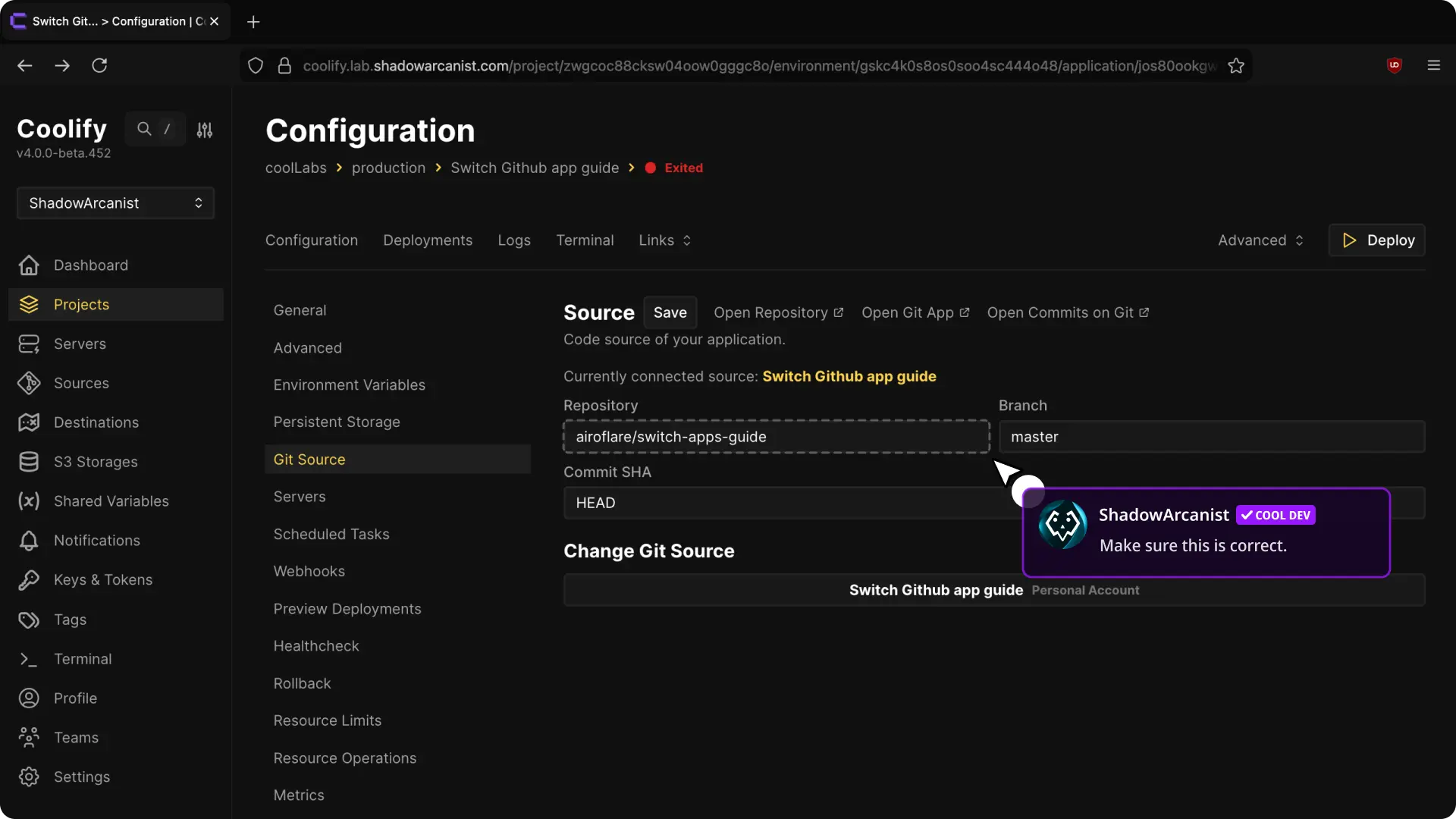
If the repository moved to another account or organization, update Repository from the previous owner/repository value to its new location.
Skip this step when the repository owner and name did not change.
6. Redeploy and verify
- Select Save changes after editing the repository fields.
- Select Redeploy.
- Open Deployment Logs and confirm that Coolify clones the expected repository and commit.
- Push a test commit to the configured branch.
- Confirm that the replacement GitHub App delivers the webhook and Coolify starts a webhook deployment.
Remove the previous GitHub App only after every application that uses it has been switched and verified.