Bulwark

What is Bulwark?
Bulwark is a modern, open-source webmail client built for Stalwart Mail Server using the JMAP protocol. It provides email, calendar, contacts, and file storage behind a single login.
Prerequisites
Before deploying Bulwark, you need a running JMAP-compatible mail server. Stalwart is the primary tested backend and is recommended. If you don't have one yet, deploy the Stalwart service on Coolify first and come back.
For the full feature set (account settings, app passwords, Sieve filters, admin dashboard), Stalwart 0.16 or newer is required.
Configuring Bulwark
The following steps will guide you through the configuration of Bulwark once you have created the service in Coolify.
JMAP server URL
Set the JMAP_SERVER_URL environment variable to the URL of your JMAP server before the first deployment. This is a required variable, the service will not start without it.
If you run the Stalwart service on Coolify, this is the same as the Stalwart service URL, for example https://mail.yourdomain.com. Bulwark probes the /.well-known/jmap endpoint under this URL to find your JMAP server.
To connect Bulwark to multiple JMAP servers, set JMAP_SERVER_URL to a comma-separated list of URLs. The login form automatically picks the server based on the email domain when possible.
Session secret
The SESSION_SECRET environment variable is auto-generated by Coolify, so no action is needed. It is used to encrypt persistent sessions, settings sync data, and multi-account state.
Accessing the webmail
After deployment, the webmail interface is available at the service URL generated from SERVICE_URL_BULWARK_3000. Log in with the credentials of a mailbox on your JMAP server.
Stalwart-specific features
When connected to Stalwart 0.16 or newer, Bulwark enables additional features that depend on Stalwart's JMAP x: methods:
- Change your password from account settings
- Enable TOTP two-factor authentication with recovery codes
- Generate per-app passwords (e.g. for IMAP/SMTP clients)
- Manage Sieve filters server-side
- Configure a vacation responder
- View your storage quota and sync identities with the server
Troubleshooting
If Bulwark cannot connect to your mail server:
- Verify the JMAP endpoint is reachable by running
curl https://<your-jmap-server>/.well-known/jmapand confirming a JMAP session resource is returned. - If Bulwark runs on a different domain than your mail server, make sure CORS is enabled on the mail server:
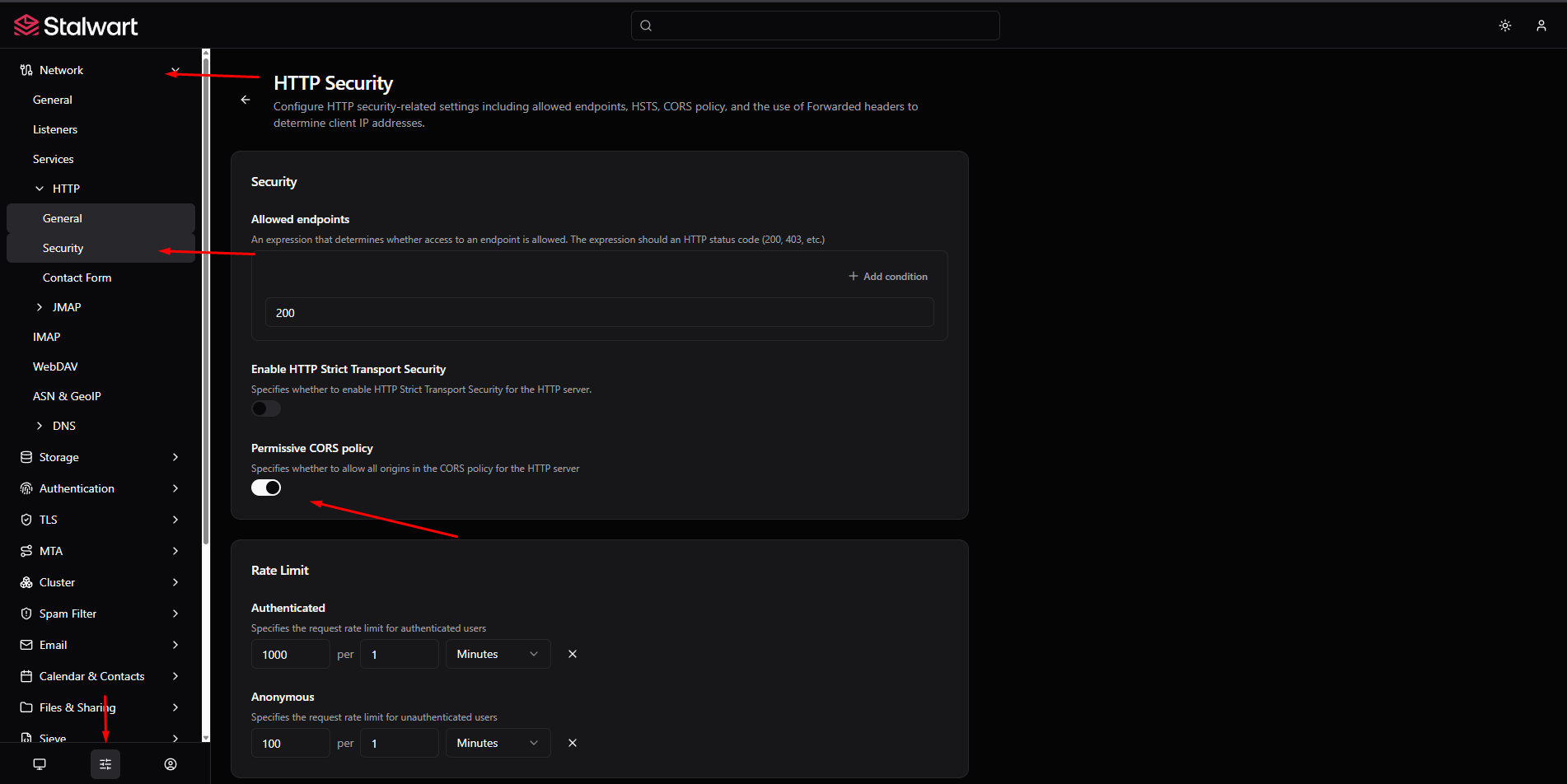
- In the Stalwart admin panel, go to Settings > Network > HTTP > Security and set
Permissive CORS policytoenabled.
- In the Stalwart admin panel, go to Settings > Network > HTTP > Security and set
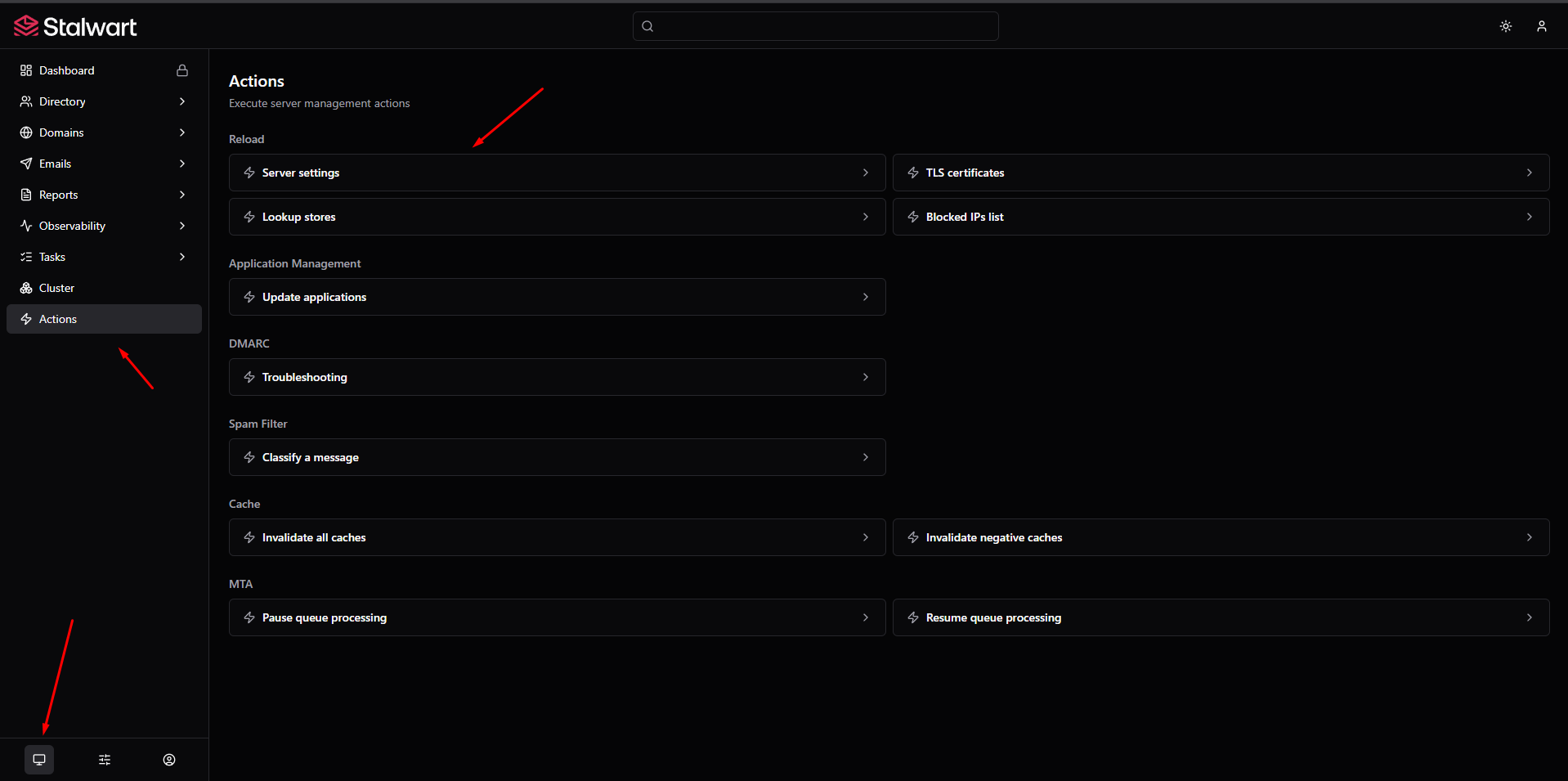
- After saving, restart the Stalwart service in Coolify for the change to take effect (or reload the configuration from Management > Actions > Reload > Server Settings).