
Usesend

What is Usesend
Usesend is an open-source alternative to Resend, Sendgrid, Mailgun and Postmark etc. Previously known as unsend.
There are some setup to be made, please refer to the official documentation for more information.
Screenshots
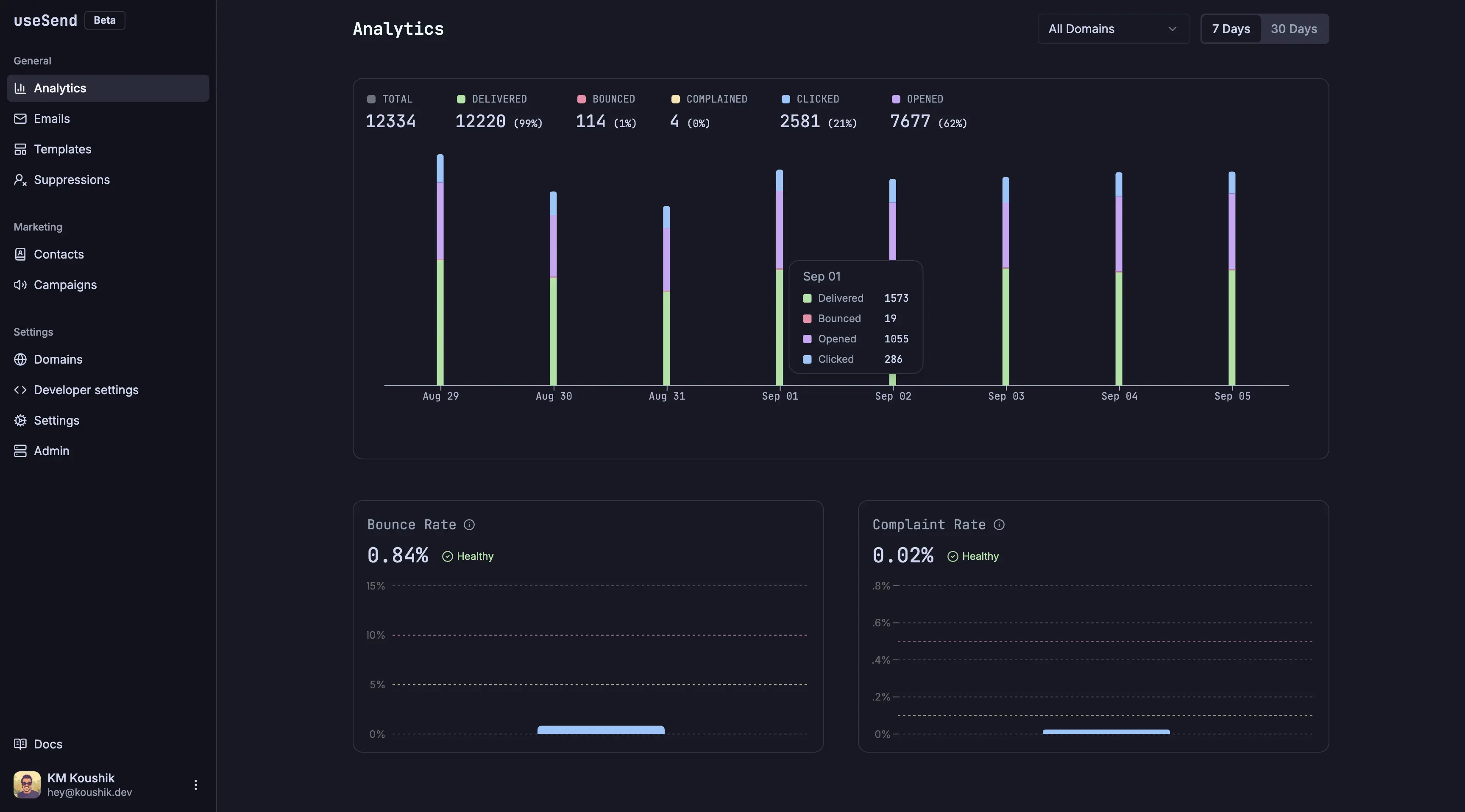
SMTP Configuration
Running Usesend with SMTP support requires an additional relay component to handle incoming SMTP requests. This relay service binds to multiple ports supporting both SSL and TLS connections.
Prerequisites
Before configuring the SMTP relay, you need to add a certificate dumper to your Traefik proxy configuration to make Coolify's SSL certificates accessible to the relay:
- Navigate to Server → Proxy → Configuration
- Add the following certificate dumper configuration:
traefik-certs-dumper:
  image: ghcr.io/kereis/traefik-certs-dumper:latest
  container_name: traefik-certs-dumper
  restart: unless-stopped
  depends_on:
    - traefik
  volumes:
    - /etc/localtime:/etc/localtime:ro
    - /data/coolify/proxy:/traefik:ro
    - /data/coolify/certs:/output
This service extracts Traefik-managed certificates and outputs them to /data/coolify/certs/, making them available for the SMTP relay to use for SSL and TLS connections.
Adding the SMTP Relay Service
Add the following service at the end of the compose file (by clicking on "Edit compose file" when adding the service):
Replace ###USESEND FQDN (e.g. usesend.example.com)### with your unsend domain name in the configuration below.
  smtp-server:
    container_name: usesend-smtp-server
    image: 'usesend/smtp-proxy:latest'
    volumes:
      - type: bind
        source: /data/coolify/certs/###USESEND FQDN (e.g. usesend.example.com)###/key.pem
        target: /data/certs/key.pem
        read_only: true
      - type: bind
        source: /data/coolify/certs/###USESEND FQDN (e.g. usesend.example.com)###/cert.pem
        target: /data/certs/cert.pem
        read_only: true
    environment:
      - SMTP_AUTH_USERNAME=usesend
      - SERVICE_FQDN_SMTP
      - 'USESEND_BASE_URL=${SERVICE_URL_USESEND_3000}'
      - USESEND_API_KEY_PATH=/data/certs/key.pem
      - USESEND_API_CERT_PATH=/data/certs/cert.pem
    ports:
      - '25:25'
      - '587:587'
      - '2587:2587'
      - '465:465'
      - '2465:2465'
    healthcheck:
      test:
        - CMD
        - nc
        - -z
        - localhost
        - "25"
      interval: 30s
      timeout: 10s
      retries: 3
      start_period: 10s
Then add those environment variables to the main Usesend service:
      - SMTP_HOST=${SERVICE_FQDN_SMTP}
      - SMTP_USER=${SMTP_AUTH_USERNAME}
Using Usesend SMTP in Your Applications
Once the relay is deployed, configure your sending applications with the following settings:
- SMTP Host: Your Usesend URL
- SMTP Port: 465 (SSL) or 587 (TLS/STARTTLS)
- Username:
usesend - Password: Your Usesend API key (generated from the Usesend dashboard)
The relay supports multiple ports for compatibility with different applications:
- Standard SMTP: Ports 25, 587, 2587
- SSL/TLS: Ports 465, 2465
You can verify that emails are being sent successfully through Usesend's deliverability reports and message previews in the dashboard.