SvelteKit
Svelte Kit is a framework for building web applications of all sizes, with a beautiful development experience and flexible filesystem-based routing.
Static build (adapter-static)
You need to use @sveltejs/adapter-static (docs) adapter to build a static site.
- Under General > Build pipeline, choose Static in Site type.
- Set your
Publish Directoryto/build
Node server (adapter-node)
You need to use @sveltejs/adapter-node (docs) adapter to build a node server based SvelteKit app.
- Under General > Build pipeline, choose Dynamic in Site type.
- Set your
Install Commandtonpm install. - Set your
Build Commandtonpm run build. - Set your
Start Commandtonode build. - Select Save changes.
- In your Environment Variables tab, check the current Node version supported by Nix. In the example screenshot below, it's
version 22.
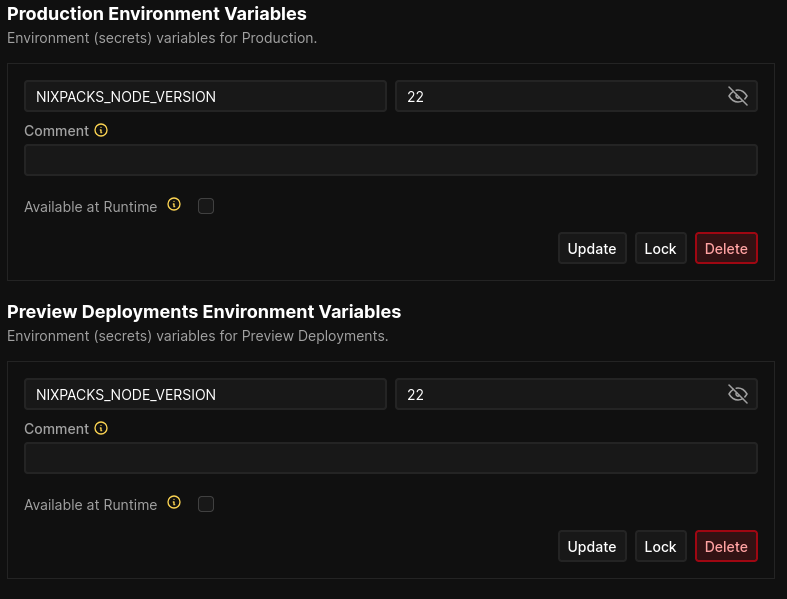
- Add
enginesto yourpackage.jsonwith the Node version from your environment variables. For example
"engines": {
		"node": ">=22"
}- Git Commit
- Click Deploy from your Coolify Dashboard
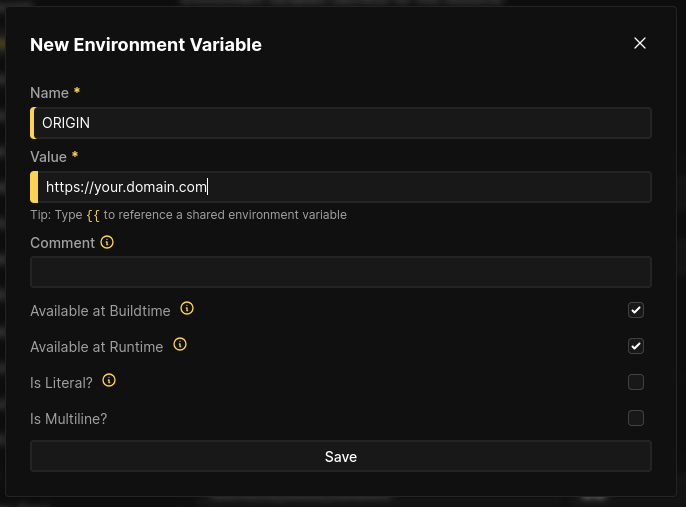
- Add an Environment Variable ORIGIN with your app's actual domain. For example:
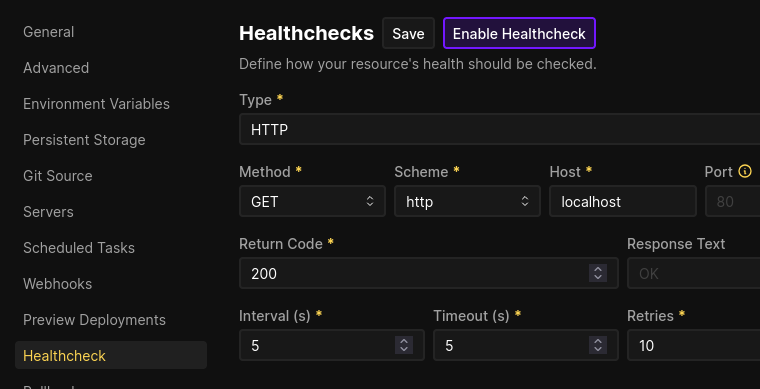
- Optional, but recommended: open Healthcheck, select Enable, and confirm Enable healthcheck